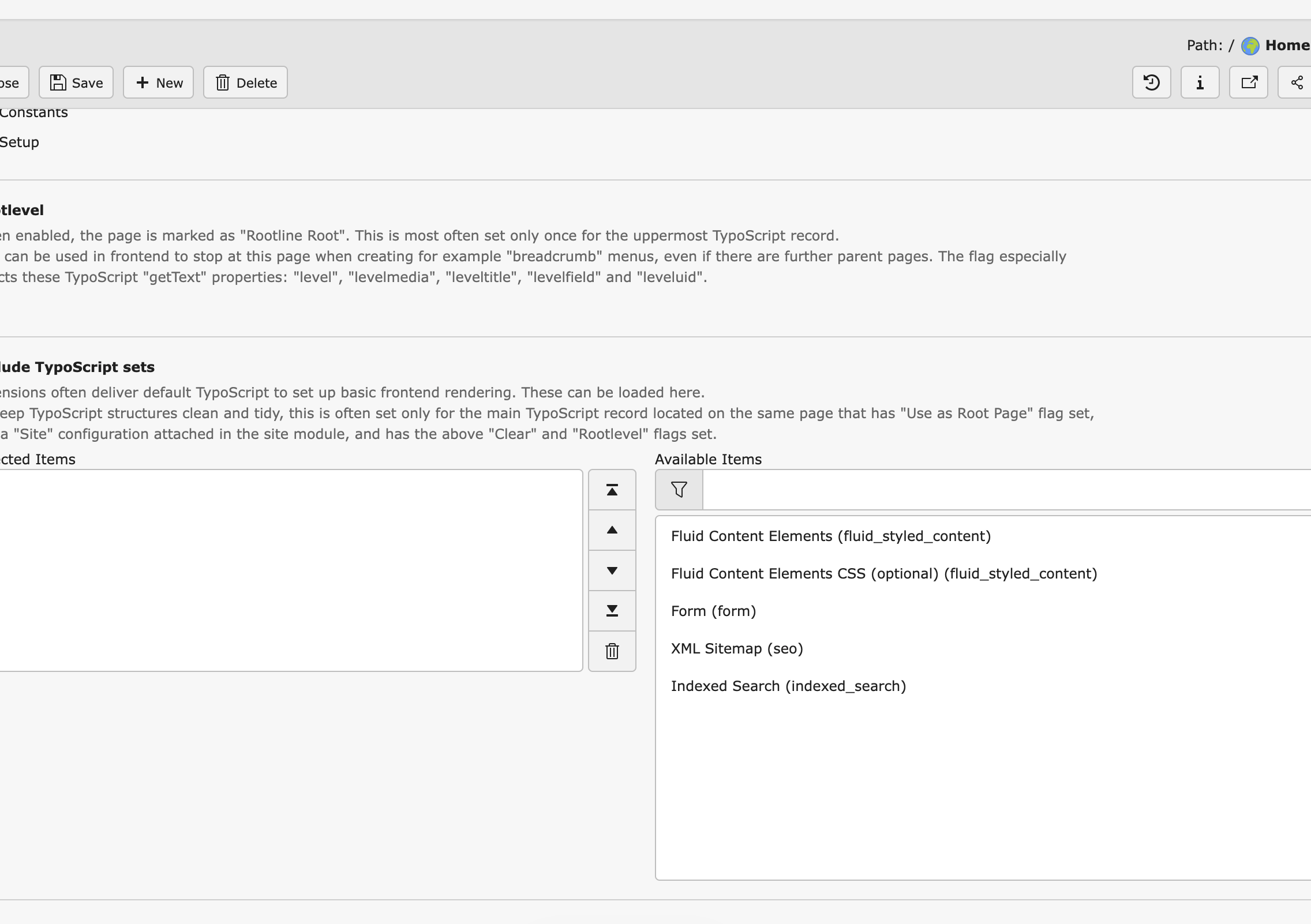
I created a new 13.4.2 site and an sitepackage from the sitepackage builder. This is loaded using composer and in the Extensions overview. When making TYPO3 using the sitepackage from the TypoScript management page, I deleted the default typoscript which came with the install. Than went over to the include Typoscript Sets part. But my extension is not listed there? Why not, I have double checked all the files in the Extension “Set” and even recreated the Extension again to be sure I did not miss anything.
Also tried to include it just using the @import ‘EXT:test-site-package13/Configuration/TypoScript/setup.typoscript’ but that did not bring me much either.
So where to look at ? I’m using site-packages in all my older sites (no Composer) and they work all fine. What did change here that I missed. 
How is the structure of the sitepackage you created?
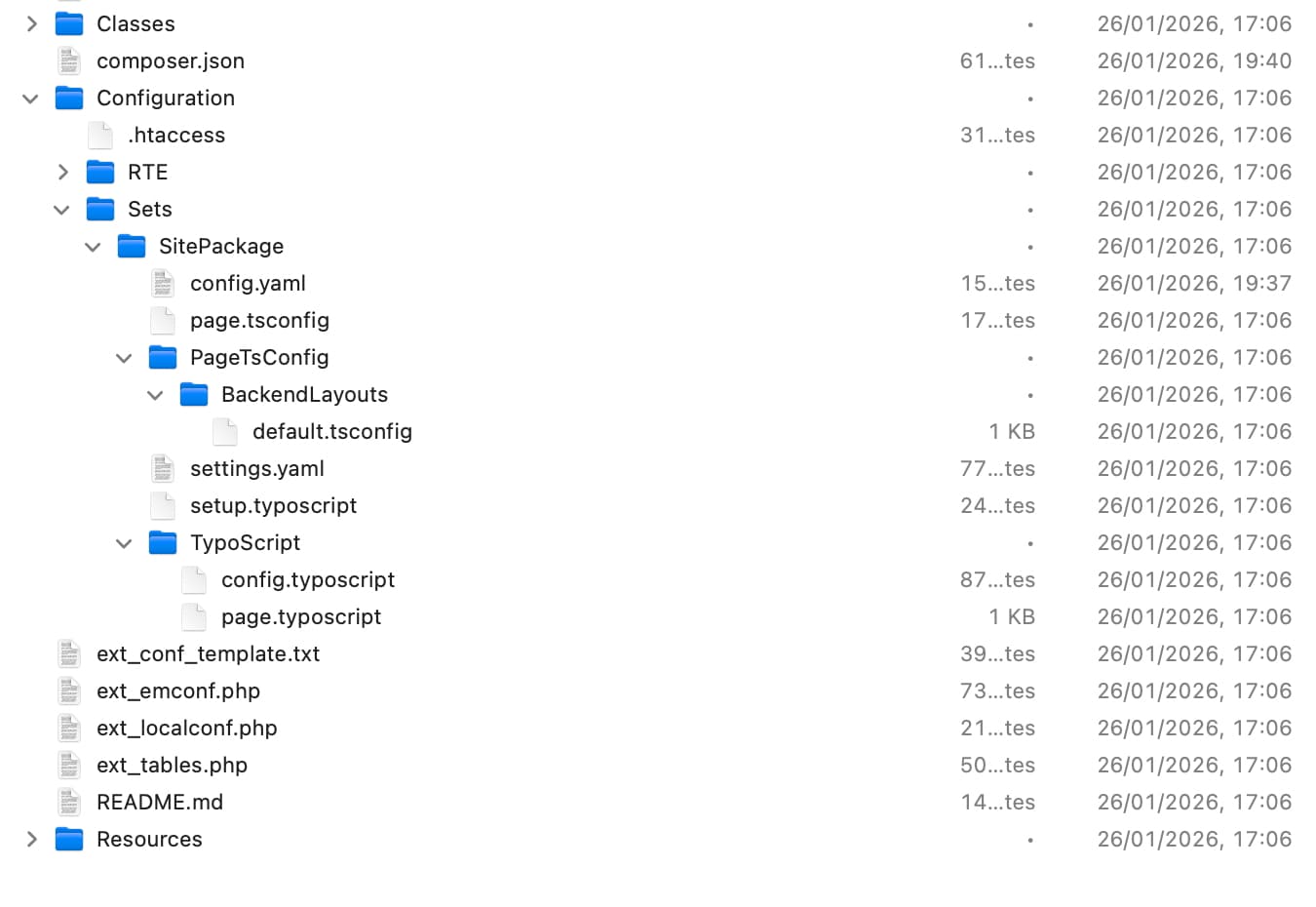
If there is a folder named Configuration/Sets/ it’s includable via the site configuration
If there instead is a folder named Configuratio/TCA/Overrides/sys_template.php you should expect to see it where your screenshot is.
Can you elaborate on these two things
There is no TCA folder in that place. This is what I have, and is created by the sitepackagebuilder.
Would it still be possible using an slightly adapted site-package created for typo3 11.* ? I tried and copy from a site-package I found online which was for 12.5 I only adapted the version and that one worked. So might be missing some files in my package?
I tried one of my older site-packages which was made for TYPO3 11.5 and with some minor adaptions that is working as well. This has the TCA/override systemplate.php.
Will this “older” setup still work for this and future versions or is it needed to use the new file structure as created by the sitepackagebuilder? Which is slightly different and merging some (file)-code parts as far as I can see, which are now more spread or at different locations(files).
For upgrading older TYPO3 versions like 10.5 or 11.5 to the latest TYPO3 versions it might be easier having the same structure and not a new puzzle to get things and files in the right place again to make it work… 
Just for me to know, If I have the site package upgraded to 13.5, can I just export the old file tree (data) and import it in the newer system? Having a fresh database and system. Or is it better start upgrading using the path starting from the old dbase and files and run the upgrade wizzard which might cause all kind of errors..?
Yes. Add the file Configuration/TCA/Overrides/sys_template.php and add something alon this
\TYPO3\CMS\Core\Utility\ExtensionManagementUtility::addStaticFile(
    'your_extension_key',
    'Configuration/Sets/SitePackage/TypoScript',
    'Label shown in selector'
);
More knowledge:
Basically, with site sets, the “inclusion of typoscript” (that you do in sys_template records) is moved to being included via a site set when configuring a site. If you delete the sys_template record completely, go to your site configuration, you will see a site set having the name of your package. Include that and typoscript is included.
-
Ok I managed to get the TYPO3 13.4 site up and running with my site-package from the TYPO311.*. Changed a few settings in the package and had to remove some files. Not sure, how strict the 13.4 is but changed al file extensions into
.typoscipt instead of .ts or .pagets
Also I got an error 500 page not visible. Which was because a file-path name in the template was not resolving…Also did an export and import of the data / file tree from the older 11.5 site. That went well after some tweaking. Only things missing are the images and the content are not linked into their original containers. So tried again with a second export xml.
-
is there a magic trick to get all the content again linked into their containers? I can do that Manually but that is quit a job if there are many pages.
-
Can I also get the imported images visible again linked at the right spots? Or does that happen when the xml file is imported correctly?